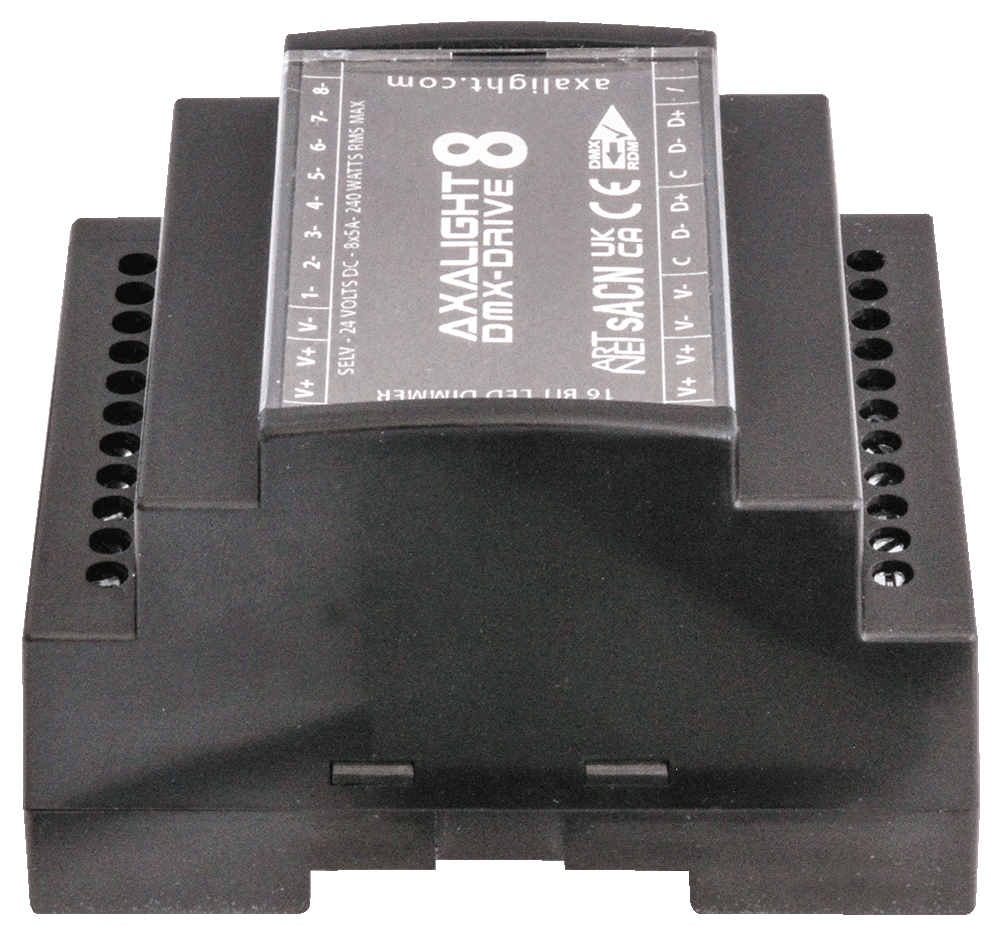
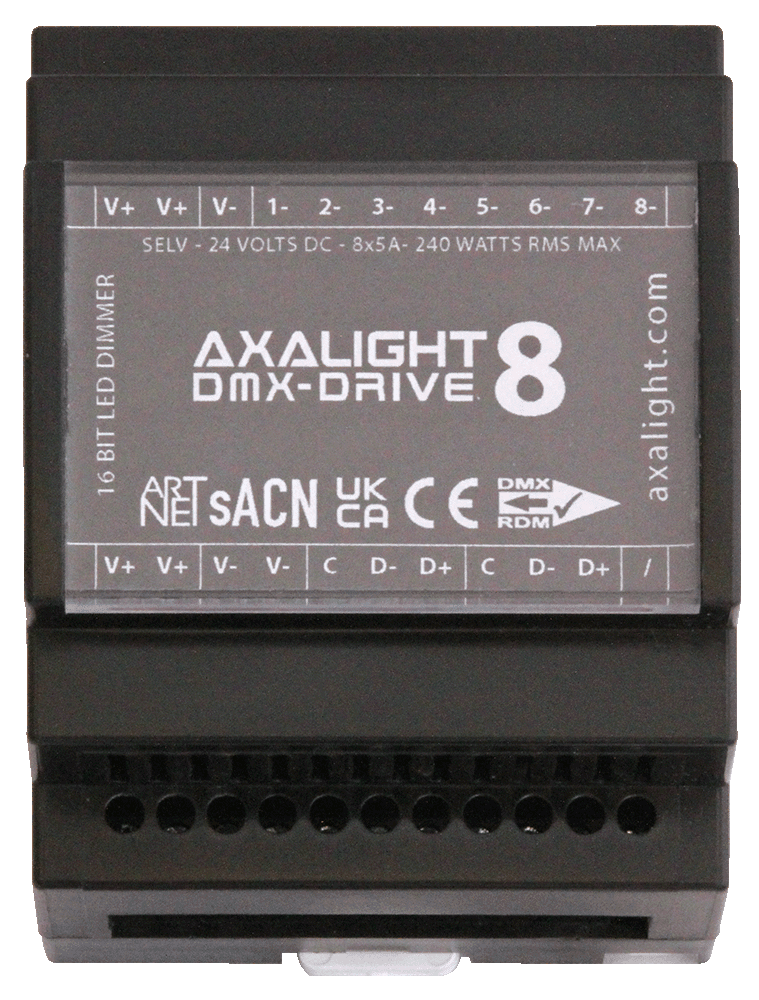
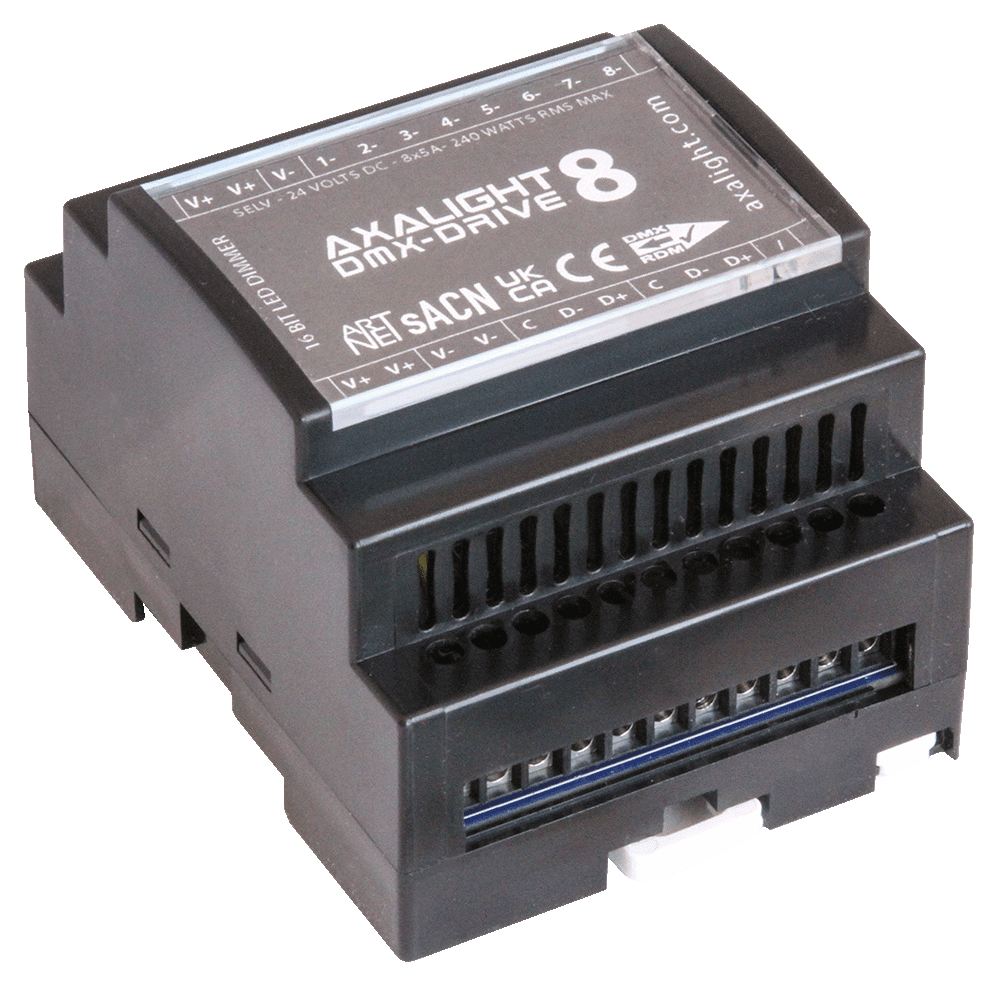
DMX-DRIVE 8 - DD8

DMX/RDM & WFI/ARTNET 16bit low voltage dimming and DIN rail flexibility for constant voltage LED applications.
(for wireless only applcations see our CLOUD DRIVE 8)

Z

FEATURES

  • DMX/RDM wired control input
  • RDM remote configuration
  • 8 x CV constant voltage LED control outputs
  • 8-bit personality mode (8 channel footprint)
  • 16-bit personality mode (16 channel footprint)
  • Smoothed or non-smoothed personality modes
  • Compact DIN rail format
  • SELV DC supply input
  • DMX IN/THRU connections
  • Screw terminals (pluggable)

DMX-DRIVE 8
DMX 512 RDM

g

8 LED Output Ch.

16 & 8 Bit Dimming

24 Volts SELV

DIN Rail Mount

IP22 Dry Spaces

ELECTRICAL

  • 24 Volt DC supply input
  • Common anode (+)
  • 8 x controlled cathode (-) outputs
  • 5 Amps per channel load peak (120W)
  • 10 Amps total RMS continuous load (240W)
1

PHYSICAL

  • 70W x 91H x 60D mm (110H with fixing tabs) 
  • 4 DIN rail modules wide 
  • 150 grams product weight 
  • IP20 protection rating 
  • -20° ~+50°C ambient temp 

CONNECTIONS

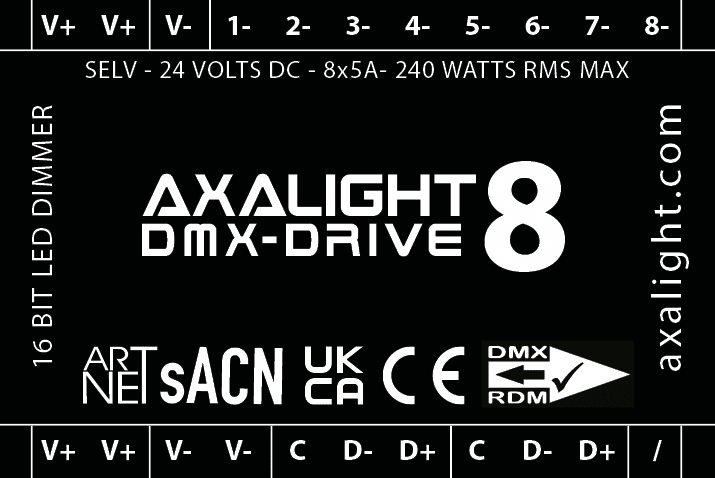
  • V+ | Supply Input / Link +24 Volts
  • V- | Supply Input / Link 0 Volts (Common)
  • 1- | Channel 1 output -
  • 2- | Channel 2 output - 
  • 3- | Channel 3 output - 
  • 4- | Channel 4 output -
  • 5- | Channel 5 output - 
  • 6- | Channel 6 output - 
  • 7- | Channel 7 output - 
  • 8- | Channel 8 output -
  • Note | All V+ are linked internally
  • Note | All V- are linked internally
  • C | DMX common
  • D- |DMX- data
  • D+ | DMX- data
  • Note | The two DMX ports are wired internally in parallel
POWER IN / THRU

The V+ and V- terminals are linked respectively within in the DD8. IN/THRU linking is allowable up-to absolute 10 Amps maximum per terminal. 

INSTRUCTIONS

  • For professional installation only
  • Use SELV power supplies of 24 Volts DC
  • Ensure power supplies are equiped with short circuit and over current protection
  • Mount in vertical orientation with air vents slots top and bottom
  • Ensure adequate airflow / ventiallation
  • Make all connections before energising
  • Terminal blocks can be unplugged by first removing DD8 front cover 
  • Test loads before connection to DD8
  • Use RDM equiped controller/tester to configure DMX start address and personalaties

IMPORTANT

If removing front cover to access pluggable terminal strips, ensure correct orientation on refitting! The 8 large MOSFET devices are located at the TOP of the DD8.

IMPORTANT

If removing front cover, ensure correct orientation on refitting!

COVER REMOVED VIEW

AXALIGHT DIN-DRIVE 4 DMX/RDM
CONFIGURATIONSETTINGS

4 DIGIT Display 8888

Display Setting Default
A.xxx DMX Address 001
cH.xx DMX Channel Patch 04
bT.xx 8 or 16 bit PWM Resolution 16
PF.xx PWM Frequency 01
9A.xx Dimming Gamma 1.5
dP.xx Decoding Personality 1.1

MENU BUTTONS

[BACK]    [ENTER]    [UP]    [DOWN]

DISPLAY CURRENT SETTINGS

Press [UP] [DOWN] to scrool and display current the settings.

DMX Signal indicator

When DMX is received, the [•] point indicator after the first display digit will light.

Restore Factory Defaults

Press and hold down [BACK] and [ENTER] until the display turns off. 

A.xxx = DMX Start Address

Select menu A.xxx, press [ENTER], the display will flash, press [UP] [DOWN] to set DMX address (hold for fast change), press [BACK] to confirm.

BT.xx = PWM Resolution

Select menu BT.xx, press [ENTER], display will flash, press [UP] [DOWN] to select 08 or 16 bit, press [BACK] to confirm.

9A.xx = DIMMING GAMMA CURVE

Select menu 9A.xx, press [ENTER], display will flash, press [UP] [DOWN] to select 0.1~9.9, press [BACK] to confirm.

PF.xx = PWM Frequency

Select menu PF.xx, press [ENTER] , the display will flash, press [UP] [DOWN] to select 00~30, press [BACK] to confirm.

DISPLAY SETTING
PF.00 500 Hz
PF.01 1 kHz
PF.02~30 2~30 kHz


CH.xx = DMX Channel PATCH

Select menu CH.xx, press [ENTER], display will flash, press [UP] [DOWN] to set DMX channel patch , press [BACK] to confirm.

Example the DMX start address is set to [001]

DISPLAY CONTROL CHANNELS OUTPUT PATCH
CH.01 1 All 4 outputs on address [001]
CH.02 2 Outputs 1 & 3 on address [001]
Outputs 2 & 4 on address [002]
CH.03 3 Outputs 1 & 2 on address [001] & [002]
Outputs 3 & 4 on address [003]
CH.04 4 Outputs 1, 2, 3, 4 on address [001],  [002],  [003], [004]


DP.xx = DECODING PERSONALITY - 1 CH

Select menu dP.xx , press [ENTER] , display will flash, press [UP] [DOWN] to select the decoding personality, press [BACK] to confirm.

DMX Channel dP.1.1 dP.2.1
1 Out 1 Out 1 Coarse
2 Out 2 Out 1 Fine

DP.xx = DECODING PERSONALITY - 2 CH

Select menu dP.xx , press [ENTER] , display will flash, press [UP] [DOWN] to select the decoding personality, press [BACK] to confirm.

DMX Channel dP.1.1 dP.2.1 dP.3.2
1 Out 1 Out 1 Coarse Out 1
2 Out 2 Out 1 Fine Out 2
3 Out 2 Coarse Grand Master
4 Out 2 Fine

DP.xx = DECODING PERSONALITY - 3 CH

Select menu dP.xx , press [ENTER] , display will flash.
Press [UP] [DOWN] to select the decoding personality, press [BACK] to confirm.

DMX Channel dP.1.1 dP.2.1 dP.4.3 dP.5.4
1 Out 1 Out 1 Coarse Out 1 Out 1
2 Out 2 Out 1 Fine Out 2 Out 2
3 Out 3 Out 2 Coarse Out 3 Out 3
4 Out 2 Fine Grand Master Grand Master
5 Out 3 Coarse Strobe Effects
6 Out 3 Fine

DP.xx = DECODING PERSONALITY - 4 CH

Select menu dP.xx , press [ENTER] , display will flash.
Press [UP] [DOWN] to select the decoding personality, press [BACK] to confirm.

DMX Channel dP.1.1 dP.2.1 dP.5.4 dP.6.4
1 Out 1 Out 1 Coarse Out 1 Out 1
2 Out 2 Out 1 Fine Out 2 Out 2
3 Out 3 Out 2 Coarse Out 3 Out 3
4 Out 4 Out 2 Fine Out 4 Out 4
5 Out 3 Coarse Grand Master Grand Master
6 Out 3 Fine Strobe Effects
7 Out 4 Coarse
8 Out 4 Fine